No CMS does not mean no content model
updated 3 min read Augustyn Głowacki
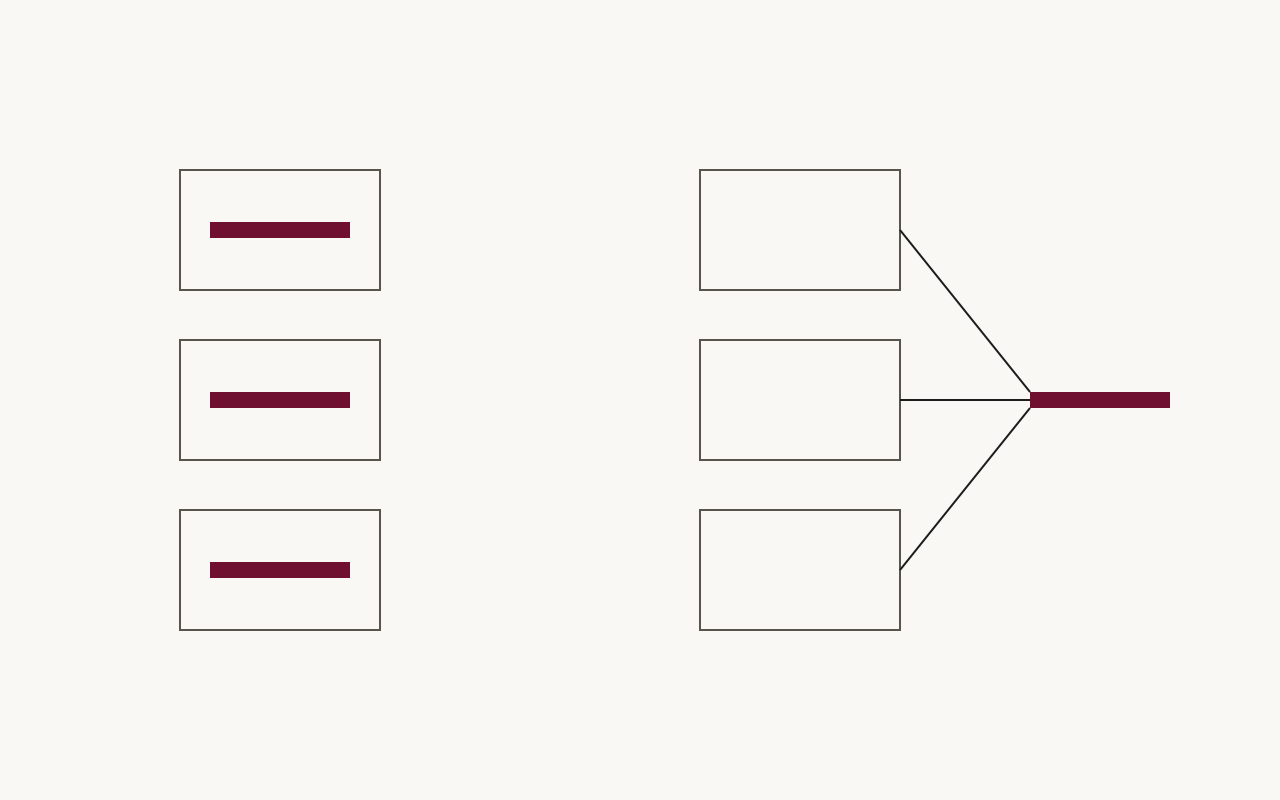
A site without a CMS needs a content model to keep its pages consistent. A CMS normally enforces field types, required fields and allowed section types. If you remove the CMS, you need to enforce those rules in code. This site validates 26 typed section types on every build and stores each shared section in one file that pages reference.
Why does editing a no-CMS site get painful?
Several companies have asked me through Bejamas for help with sites stored in markdown or YAML files. Editing had become slower within months. They could not tell which file owned a piece of copy, shared sections had diverged, and developers had to explain what fields meant before anyone could change content.
The teams asked which editor, git interface or preview to use. First, I checked what a page was allowed to contain and how those rules were enforced.
What was the CMS actually doing for you?
A CMS makes editors choose a content type, limits entries to its fields, marks required fields and defines which sections can appear on a page. Teams can lose those rules when they move content into files.
Plain YAML and markdown files do not enforce those rules by default. A typo in a field name can go unnoticed unless the build validates it. I define and check the rules in code.
What does a content model look like in plain files?
On this website, every content collection is checked against a Zod schema at build time. Astro generates TypeScript types from those schemas (Astro content collections docs). I use three rules:
- A page’s sections are a closed vocabulary: one
z.discriminatedUnionover 26 section types, from hero to lead form, plus one pointer type covered further down. A page composes from that list and nothing else. - Every object is a
z.strictObject, which rejects unknown keys (Zod docs). A typo in a field name fails the build with a named error. - Every field carries a
.describe()string saying what it is for, so the schema doubles as the documentation an editor - human or AI agent - reads before touching a file.
For example, a hero section with headline where the schema requires heading fails validation:
sections:
  - type: hero
    slogan: "Structure is the product."
    headline: "Content in files"
Astro 7.2.4 then refuses to sync the collection, and names both halves of the mistake:
[InvalidContentEntryDataError] pages → en/home data does not match collection schema.
  sections.0.heading: Required
  sections.0: Unrecognized key: "headline"
Without z.strictObject, the second line does not exist. The unknown key is discarded, and the error says only that something is missing, not that headline was the thing you typed.
The renderer’s component map is typed satisfies Record<Section["type"], unknown>. Adding a section type without its component causes a compile error.
When should a repeated section use one shared file?
Only when it is genuinely identical across pages - and then exactly once. The default on this website is inline: a section lives inside the page that uses it, because most sections that look similar are not the same content and will diverge. A section that is truly identical everywhere it appears - the same call-to-action block, the same trust strip - moves into a sharedSections collection as one YAML file, and each page replaces the pasted copy with a pointer: { type: "sectionRef", ref: "<id>" }. Editing that one file updates every page that references it.
A sectionRef points directly to a shared section and cannot point to another reference. The build also fails if a referenced section was renamed or deleted. These checks keep shared content valid when pages change.
What does this not solve?
A content model in files does not give editors visual editing, previews or a publishing workflow. A team that needs those can use a CMS. A strict schema does let an AI coding agent edit these files: it reads the field descriptions, writes YAML and gets a build error if the content is malformed. Both approaches need a content model.